Under 15 Minutes
From zero to a fully trained, production-ready AI voice agent. No coding required.
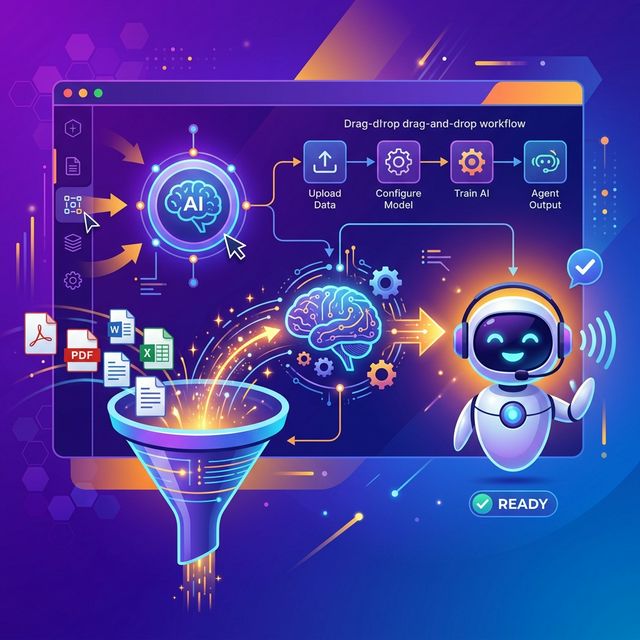
The biggest misconception about AI voice agents is that they require a team of developers and months of setup. With modern self-service training platforms, you can have a fully trained, production-ready AI agent answering your phones in under 15 minutes, with zero coding required.
Why Self-Training Matters
Your business is unique. Generic AI agents give generic answers. A self-trained agent knows your services, pricing, scheduling rules, and brand voice. It can answer questions like "Do you service the north side of town?" or "How much does a 3-ton AC unit cost to install?" with the same accuracy as your best receptionist.
Step 1: Upload Your Knowledge Base
The first step is feeding the AI everything it needs to know about your business. Voiceyfy's Unified Knowledge Base accepts multiple source types:
- Website URLs: Point the system at your website and it automatically extracts your services, pricing, FAQs, and contact information. You can schedule daily, weekly, or monthly refreshes so the AI always has current data.
- Document uploads: Upload PDFs, Word documents, text files, or spreadsheets. Pricing sheets, employee handbooks, service catalogs, and warranty documents all become part of your AI's knowledge.
- FAQ pairs: Add specific question-and-answer pairs for situations where you want exact, controlled responses. Great for compliance-sensitive information or nuanced pricing.
- Webhooks: Connect your CMS or helpdesk so the knowledge base updates automatically when your source content changes.
Step 2: Add Company Details
Beyond knowledge content, the AI needs context about your business operations:
- Business name and location(s)
- Hours of operation and holiday schedules
- Service areas and zip codes covered
- Team members and their specializations
- Special instructions (e.g., "always ask for the property address first")
Step 3: Multi-Round Training
This is where Voiceyfy's self-train AI agent feature stands out. Instead of a single pass, the system runs five training rounds, each refining the agent's responses:
- Round 1: Knowledge ingestion. The system processes all your uploaded content and creates an initial understanding of your business.
- Round 2: Conversation flow. The AI learns how to structure calls, including greetings, qualification questions, and closing scripts.
- Round 3: Edge cases. The system generates scenarios for unusual requests and trains the agent on how to handle them.
- Round 4: Objection handling. The AI learns rebuttals for common pushbacks like price objections, competitor comparisons, and scheduling conflicts.
- Round 5: Fine-tuning. You review the output, provide feedback, and the system refines the final production prompt.
Step 4: Deploy
After training is complete, you get a production-ready agent prompt that can be deployed for voice calls, web chat, or both. The same knowledge base powers both channels through the Unified Knowledge Base, so you only maintain one source of truth.
Tips for Better Training Results
- Be specific with pricing: Instead of "prices vary," provide ranges. "AC repair starts at $89 for diagnostics, and typical repairs range from $150 to $800 depending on the issue."
- Include negative examples: Tell the AI what you do NOT do. "We do not service commercial buildings over 10,000 square feet."
- Define escalation triggers: Specify when the AI should transfer to a human. "If the caller mentions a gas leak, water damage, or legal issue, transfer immediately."
- Set the right tone: Specify whether your brand voice is casual and friendly, or formal and professional. The AI adapts accordingly.
The Result
In under 15 minutes of setup time, you have an AI agent that knows your business as well as an employee who has been there for years. It handles calls 24/7, books appointments via calendar integration, qualifies leads, and smoothly transfers complex situations to your team with full context using live human handoff. View pricing or start your free trial.